OpenClaw on a VPS: from API key to Telegram bot
OpenClaw is a self hosted AI assistant. You give it a language model and a chat app, and it answers there on your behalf: it can execute shell commands, browse websites, handle mail and edit files on the machine it lives on. A personal agent like this is only useful if it never sleeps, so a small always on server is its natural home. Below we go through the setup as a series of decisions, then do the install itself on an OBLAKO server and finish with a working bot in Telegram.
Every command here was checked against the official documentation at docs.openclaw.ai in November 2026. The project ships new releases often, so if your version prints something different, the official page wins.
Decision 1. Where will the model think?
OpenClaw itself is a gateway. It receives your messages, decides which tools to call and forwards the reasoning to a language model. That model can live in two places, and your choice drives everything else.
| Option | How it works | Good for |
|---|---|---|
| Hosted model over an API | Anthropic, OpenAI, Google, OpenRouter and similar providers run the model, your VPS only sends requests | Fast replies on a small plan, you pay the provider per token |
| Local model through Ollama | The model runs on the VPS processor, prompts never leave the server | Privacy, no per token bills, but slow answers and a lot of RAM |
For a first agent we recommend a hosted provider. You will need an API key from it before you start the wizard, so create one now. OpenRouter is handy if you want access to many vendors with one key and prefer to top up with crypto.
If you later switch to Ollama, keep in mind one detail from the OpenClaw docs: point it to the native Ollama address without the /v1 suffix. The OpenAI compatible path breaks tool calling, and the model starts printing raw JSON instead of acting. The Russian version of this guide has a full section with model sizes per plan.
Decision 2. How big a server?
Since a hosted model does the heavy lifting, the gateway is light. The OpenClaw FAQ lists an absolute minimum of 1 vCPU and 1 GB of RAM and suggests 2 GB or more once you add several channels, media or browser automation. Ubuntu LTS is the best tested Linux.
Here is how that maps onto OBLAKO plans:
| What the agent will do | OBLAKO plan |
|---|---|
| Quick experiment, one chat, hosted model | VPS-1: 1 vCPU, 1 GB |
| Daily assistant in Telegram, hosted model | VPS-2: 1 vCPU, 2 GB |
| Headless browser, several chat apps, extra skills | VPS-3: 2 vCPU, 4 GB |
| Small local model through Ollama | VPS-4: 4 vCPU, 8 GB, or larger |
All OBLAKO servers are KVM machines in Germany. They are paid in advance for 1, 2 or 3 months, so pick the plan you expect to use for the whole period. Prices are listed on the VPS page, and the ordering flow is described in how to buy a VPS. Choose Ubuntu 24.04 or 22.04 as the operating system.
Prepare the server
Once the server shows Running in my.oblako.sh, take the IP address and root password from its card (they also arrive in the Server is ready email) and log in from your own terminal. Windows users can use PowerShell. First time with SSH? Read connecting via SSH.
ssh root@YOUR_SERVER_IP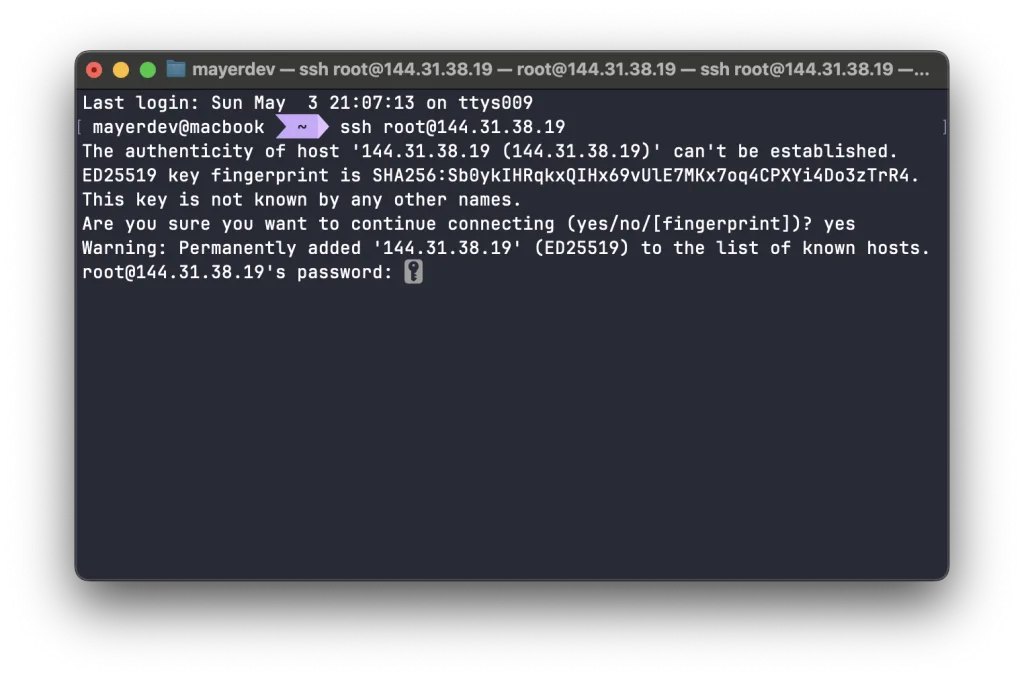
Bring the packages up to date before installing anything:
apt update && apt upgrade -yWe work as root here to keep the first run short. For an agent you plan to keep, also go through securing your server: SSH keys, automatic updates and a firewall.
Install Node.js
OpenClaw runs on Node.js, and the requirement is strict: 24.16.0 or later on the 24.x line, or 26.1.0 or later. Versions 22, 23 and 25 are rejected. The Node package in the Ubuntu archive is too old, so take Node from NodeSource, as the OpenClaw docs suggest:
apt install -y curl ca-certificates gnupg
curl -fsSL https://deb.nodesource.com/setup_24.x | bash -
apt install -y nodejs
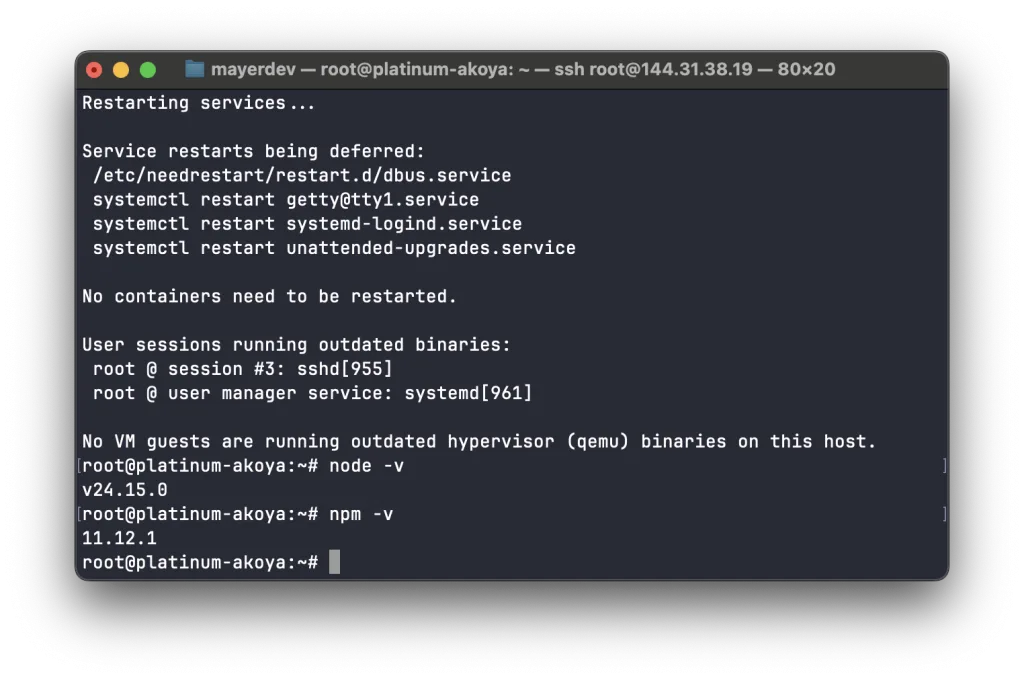
Confirm what you got:
node -v
npm -v
node -v has to print at least v24.16.0. Write down the npm major version, it matters in a minute.
Install the OpenClaw package
Recent npm releases refuse to run package lifecycle scripts unless you approve them. On npm 12, or on npm 11.16 and newer, approve OpenClaw explicitly:
npm install -g openclaw@latest --allow-scripts=openclawWith npm 11.15 or older, drop the --allow-scripts=openclaw part. When it finishes, the CLI should respond:
openclaw --versionIf the shell says the command does not exist, npm's global bin folder is missing from your PATH.
Run the setup wizard
One command does the configuration and registers a background service, so the agent starts by itself after every reboot:
openclaw onboard --install-daemonThe wizard is interactive. A few of its screens deserve comment.
Security notice. It opens with a warning about running the agent for several people. For a personal bot, accept it.
Setup mode. QuickStart fills in sensible defaults and is the right pick for a first install.

Provider and key. Choose the provider from Decision 1 and paste its key. Our screenshots use OpenRouter.
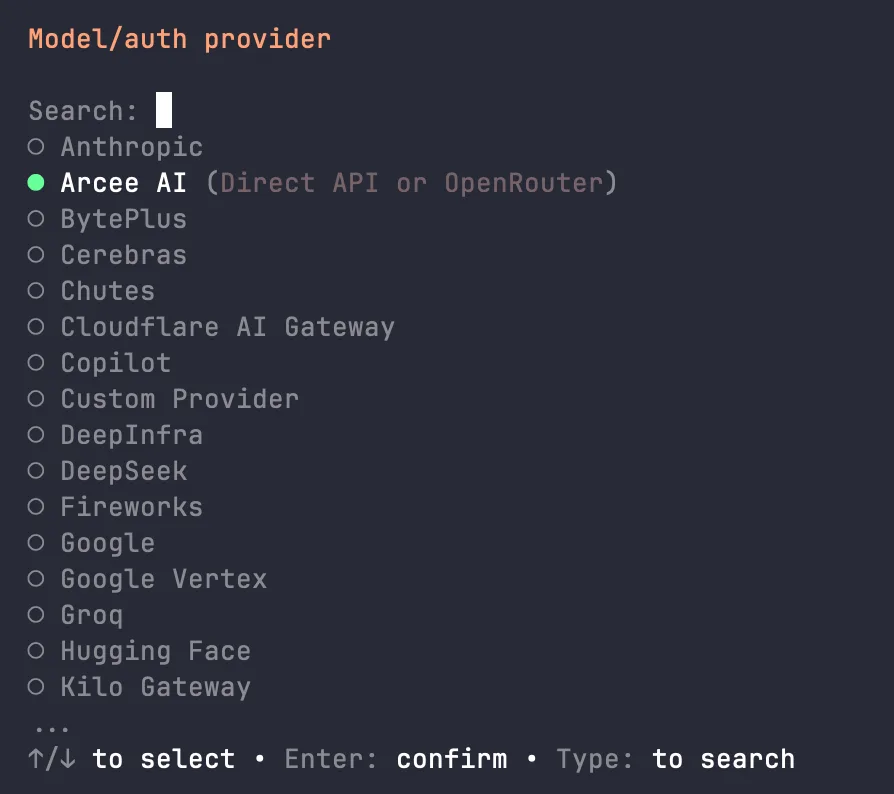
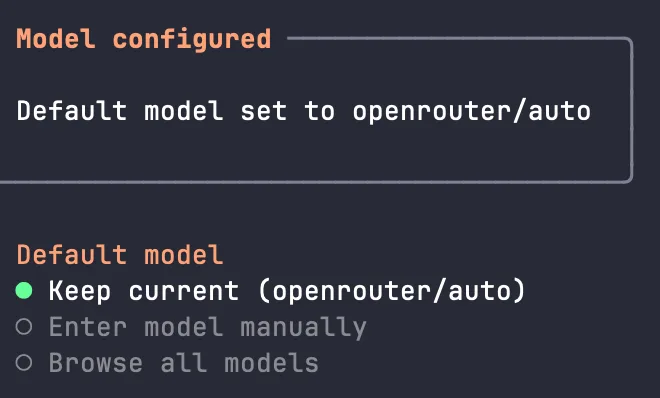
Model. OpenRouter offers an automatic router by default. We prefer to open the full catalogue and pin a specific, inexpensive model, so costs are predictable. You can change it whenever you like.
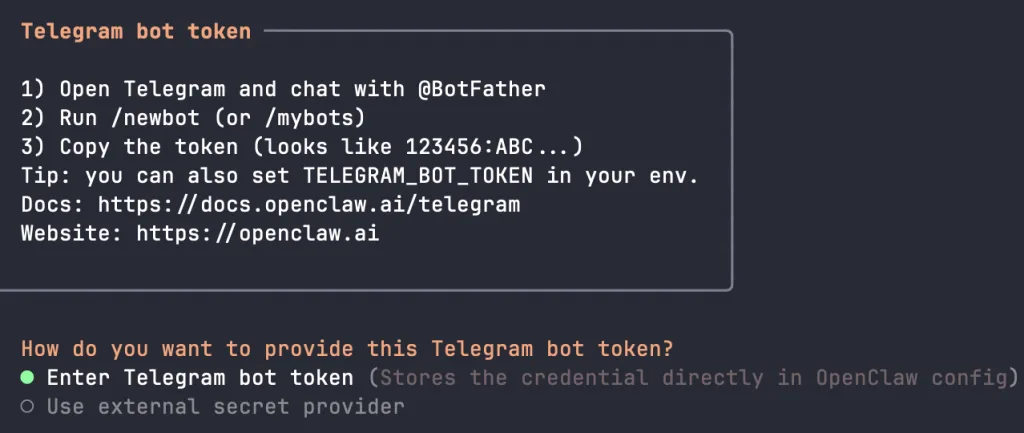
Channel. Select Telegram (Bot API). Before pasting anything, open @BotFather in Telegram, check that the handle is exactly that, send /newbot and follow the prompts. BotFather hands you a token. Back in the wizard, pick Enter Telegram bot token and paste it.
Web search, skills, hooks. DuckDuckGo works without any account. Skills and automation hooks can wait, so skip both and keep the recommended option on the final screen.
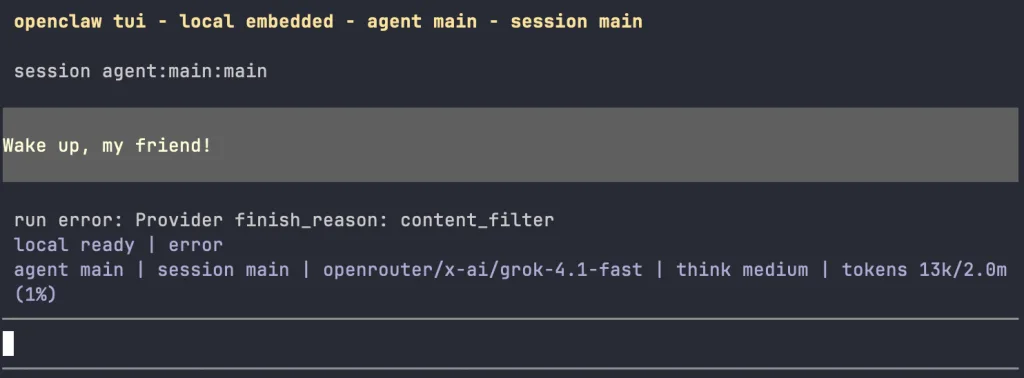
At the end the wizard drops you into a terminal chat with the agent. Type a question to see the model answer, or /quit to leave. If the prompt does not come back after that, press Ctrl+C.
First conversation in Telegram
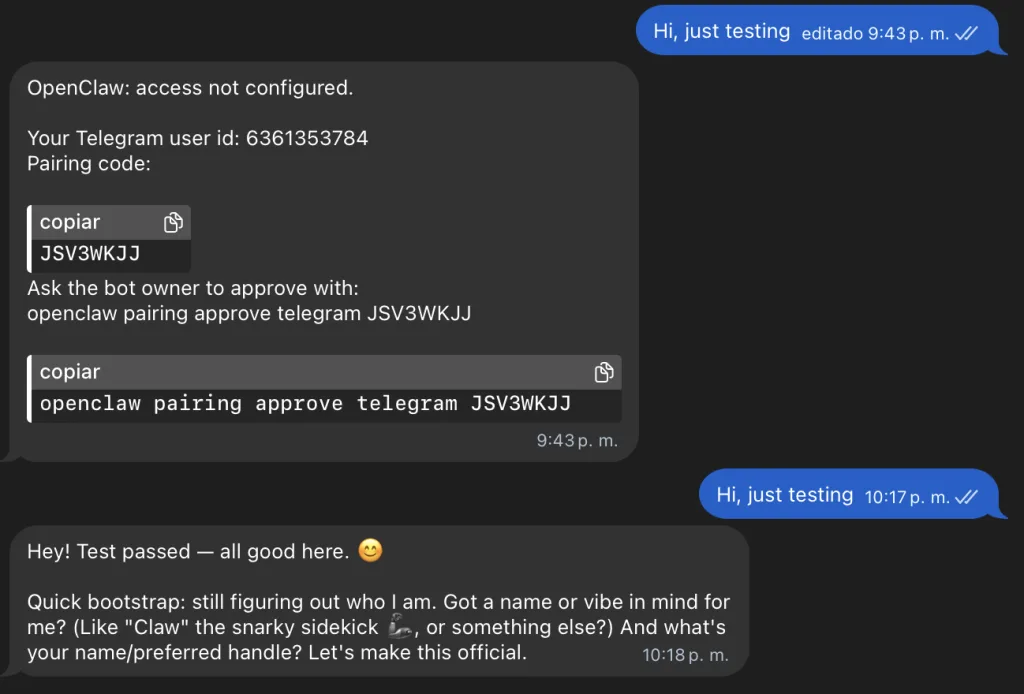
Find your new bot by its username and write to it. Out of the box OpenClaw does not talk to strangers: Telegram private chats use pairing mode, so your first message produces a short code instead of an answer.
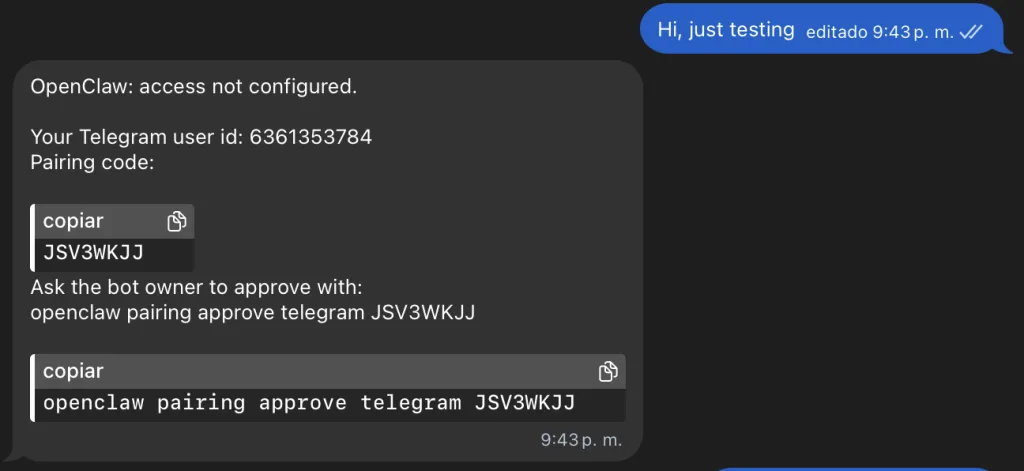
Approve that code on the server:
openclaw pairing list telegram
openclaw pairing approve telegram <CODE>
Codes are valid for one hour. If yours expired, just message the bot again for a fresh one. After approval, your account is allowed into private chat with the agent (group chats are a separate permission). Send another message, and this time the agent replies.
Reach the dashboard safely
The gateway also serves a browser control panel on port 18789, with chat history, settings and command approvals. It is bound to the server's loopback interface, and the docs are explicit that this admin page must not be exposed publicly. Do not open the port in a firewall.
Instead, forward it through SSH. Run this on your laptop, not on the VPS:
ssh -N -L 18789:127.0.0.1:18789 root@YOUR_SERVER_IPKeep that window open and visit http://127.0.0.1:18789/ locally. If the page asks for the gateway secret, print it on the server with openclaw gateway auth-token --show and paste it in. The openclaw dashboard command can also produce a one time login link.
Keep it running
An agent that went quiet is worse than none, because you stop trusting it. Three habits prevent that.
Watch the bill, not just the logs. OBLAKO never charges automatically. Seven days before the paid period ends, auto renewal creates an invoice and emails you, but the server keeps running only if you pay it. Details are in payment and renewal, and expired servers explains what happens if you miss it.
Know the health commands. When the bot stops responding, start here:
openclaw status
openclaw gateway status
openclaw doctor
The first gives a quick overview, the second confirms the background service is alive, and the third finds and repairs common configuration problems.
Update on purpose. Releases often carry security fixes. The built in updater recognises how OpenClaw was installed, prepares the new version while the old gateway keeps serving, then switches and verifies. Preview first, then apply:
openclaw update --dry-run
openclaw update
The docs recommend making a verified backup of your state before a significant update, since the automatic config copy is not a full backup.
What to try next
- Install skills from ClawHub so the agent can work with your mail or calendar.
- Let it run scheduled heartbeat checks, which is exactly where a server that never sleeps pays off.
- Add Discord or another chat app next to Telegram.
- Move to a local model through Ollama on a plan with more memory once privacy matters more than speed.
Questions about the right plan are welcome in our Telegram community.